Search in Mac OS desktop app
-
Raising this here after raising a support query. For a long time I’ve been frustrated at the desktop app’s search function – it only searches for tags and not in the text of entries. The mobile app’s search is fine.
I got the ai response basically repeating what I said to me – of course the thing should work – but I have no real idea if anyone is working on it.
personally I think “AI” is of dubious value here – kind of like putting a friendly tone on a basic auto responder. It’s putting the burden of effort on the customer to sort out what the ai is good for, by following up again.
is there some way to be transparent about which issues are being worked on in upcoming updates? Have I missed a place where you have this already?
-
Hi @raenur. Thanks for posting!
For a long time I’ve been frustrated at the desktop app’s search function – it only searches for tags and not in the text of entries.
When searching for text, are you in the All Entries view on the left side? Or after clicking “Apply Filter” in the text box, do you see the entries that contain the search string?
If you click in the body of an entry, you can also use
Command+Fto search text within an entry.
If you are not seeing any results when searching text, may we have you try the following?
- Quit Day One Mac
- Paste the following file path in Go to Folder in Finder: ~/Library/Containers/com.bloombuilt.dayone-mac/Data/Library/Application Support/indexes/fts.db (See screen shot below)
- Drag that file to the trash
- Re-launch Day One.
- See if the search ability has returned.

-
Hi – took me ages to get back to this – deleting the index file fixed the search in the text of all journal entries so confirming in case anyone else ends up with the same problem.
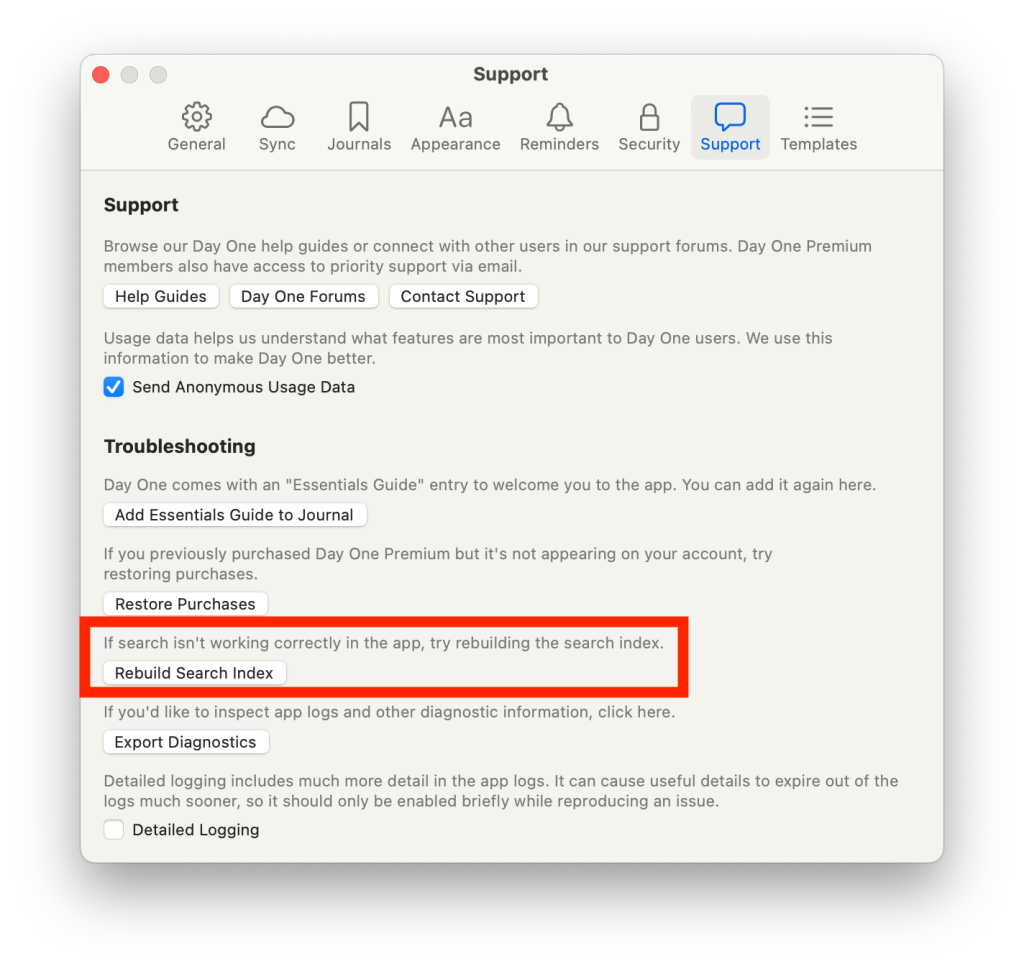
Perhaps a suggestion for the app is a “rebuild index” function somewhere that can clean up a broken index file.


 Day One Forums