How to turn off auto-complete in DayOne Mac?
-
I hate the new feature where as I type the text goes ahead of me. How can I turn it off?
-
This is a macOS Sonoma thing. You can go to System Preferences -> Keyboard -> “Text Input”, click the “Edit…” button next to “Input Sources”, and then turn off “Show inline predictive text”.
-
It sure would be nice to disable line beginning auto capitalization, because for poetry, it is such a pain in the ass and disruptive of creativity. But, only for this app. In e-mail I want it to auto capitalize. I don’t want to change the setting for the whole Mac UI.
-
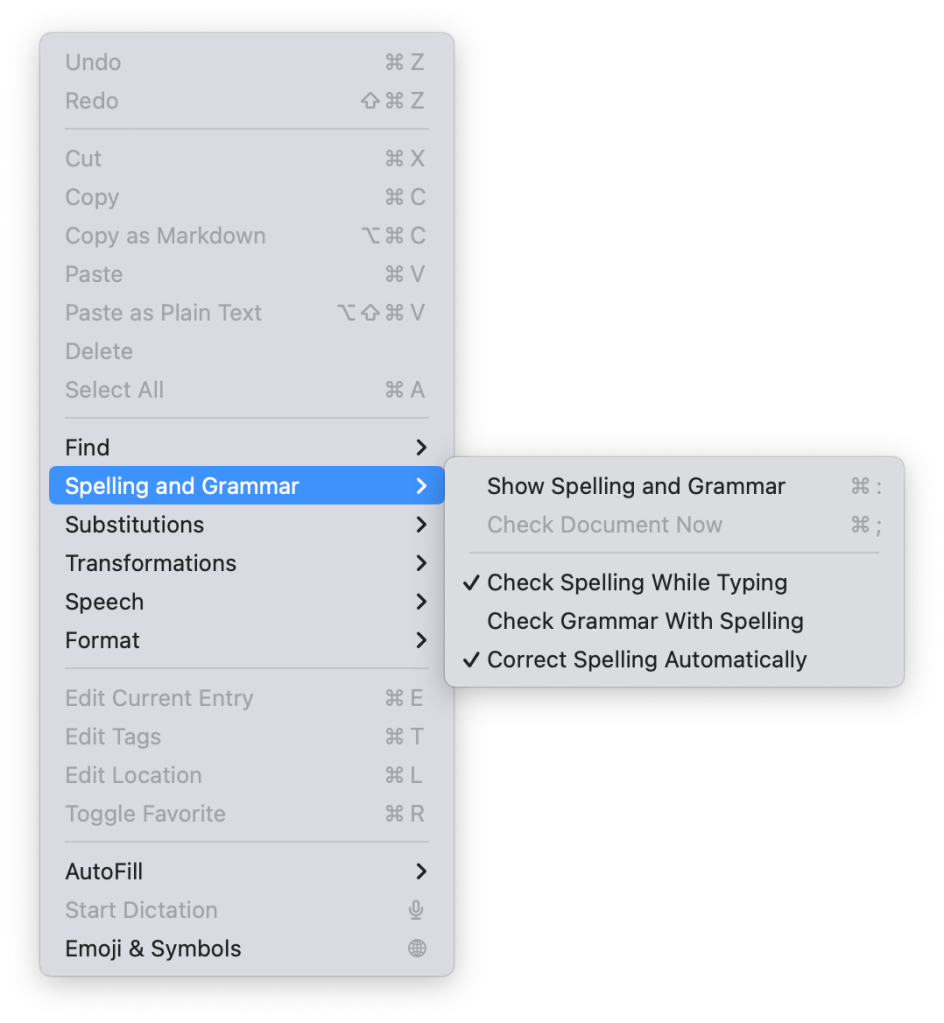
Hi @proclivisbb4b3d5064 Please open Day One and click Edit > Spelling and Grammar in the file menu. You should be able to disable these for Day One only.


 Day One Forums