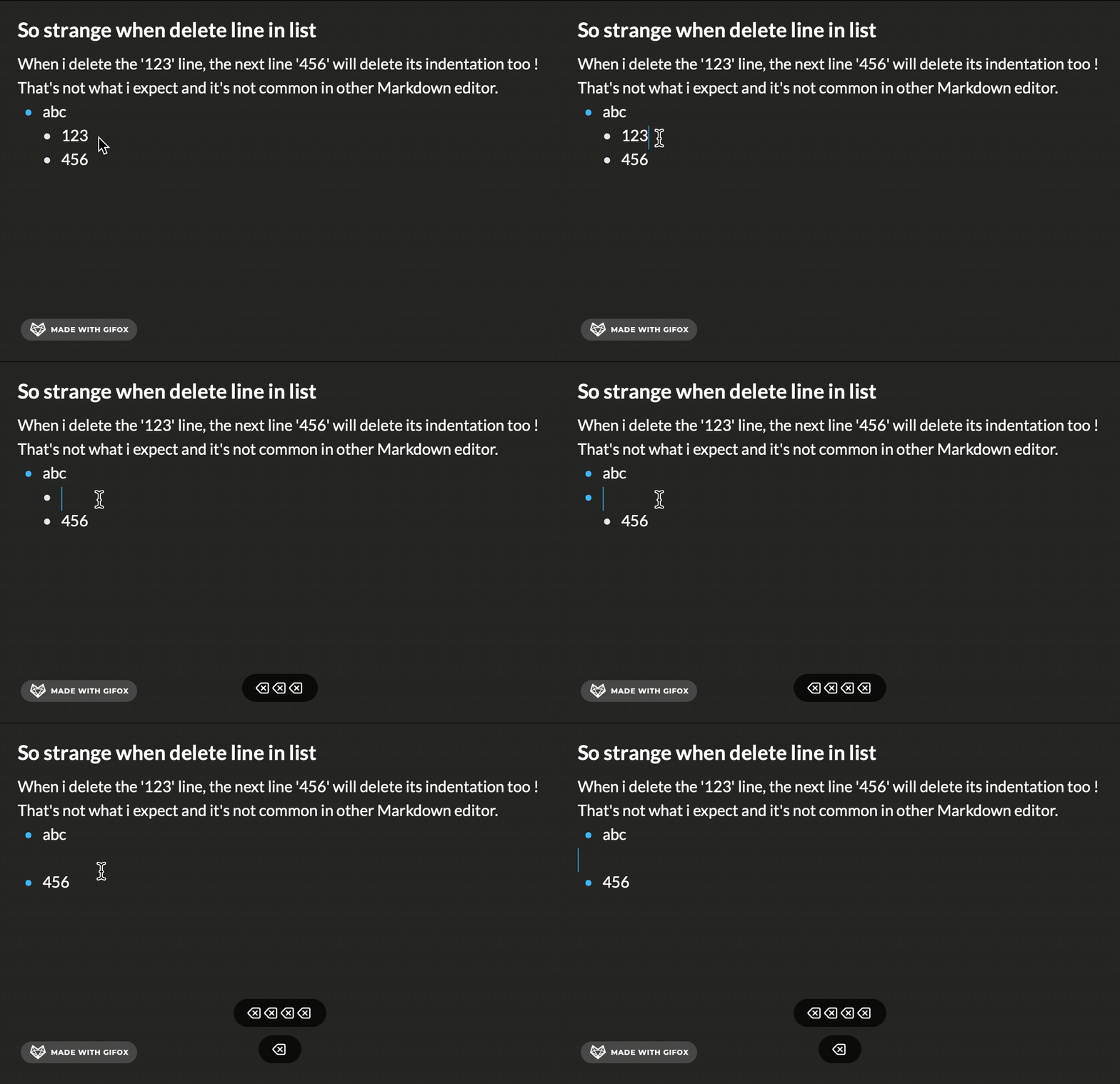
Delete List line will shrink next line’s indentation. That’s very odd.
-
Here is the screenshot Gif to show the “problem”.
https://img.alicdn.com/imgextra/i1/O1CN01aQrZZS1umEX2NWwE9_!!6000000006079-1-tps-1078-696.gif
For example, i have this text:
*abc
*123
*456
I delete the 123 line, the 456 line’s indentation will be deleted too !
*abc
*456
That’s not what i want and it’s too odd. and not common in other Markdown editor. It’s more like a bug to me.
-
So odd…The topic’s indentation disappear too…
I have to text this problem again. So sad…
“____” means “space/indentation”
For example, i have this text:
*abc
____*123
____*456
I delete the 123 line, the 456 line’s indentation will be deleted too !
*abc
*456 // The indentation has been deleted too !!!
That’s not what i want and it’s too odd. and not common in other Markdown editor. It’s more like a bug to me.
-
I see what you mean! Testing this out in my own Mac app I get the same thing. Instead of my sub-list item remaining in a sub-list, it becomes a main list item.
I reached out to the Mac developers on the team, and they confirmed for me this is expected. They want to make it simple to move list items into a new list or to be able to add paragraphs in between items.
I’ve let them know you’d like to see something different and find this method of doing things odd.
-


 Day One Forums