Can’t import txt via Mac app
-
Trying to import a txt file on Mac. Its properly formatted, but I get this error:
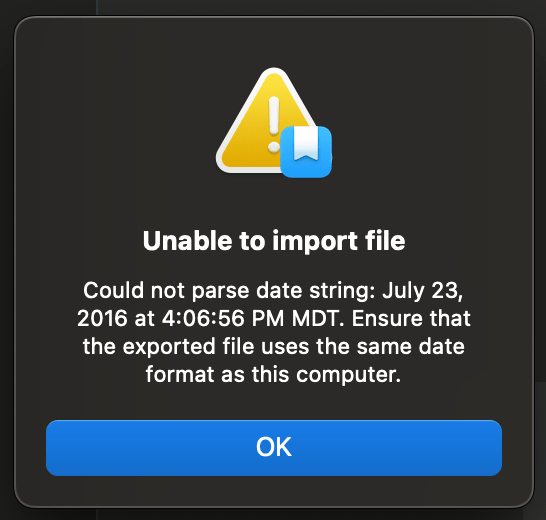
This persists no matter what, and does not even work with the sample txt file I downloaded from this link:
https://dayoneapp.com/blog/help_guides/importing-data-from-plain-text/So clearly its a dayone mac app issue. Please fix as the only reason I bought pro was so I could create a new journal for my import from my previous journal app
-
-
I was able to import the example text file without error on my end. Could you let us know what version of Day One you have installed on your Mac?
-
Why hasn’t this problem been addressed? The staff response was inappropriate; so what if staff can do the import, your customer can’t. I did an export from Day One as a text file; guess what? Day One can’t import its own file.
-
The text export uses local system settings to determine what format to print the date in. When importing an entry, it tries a variety of date formats to parse the date, including the one from the local system settings. We have made improvements to this system in the last year since the original post on this thread. So we expect that exporting from your own computer and then importing again should always work.
However, if you are trying to import a file that was produced on a computer in a different region (as the sample file on Day One’s website might be), or if you have changed the region settings on your computer since the export was produced, it is possible that the app may not be able to understand the date correctly. There is room for further improvement here, and we’ll file it for further improvement, but we do expect that exporting and importing the same text file on the same computer should work.
If you’re seeing that it’s not working, it would be helpful to know what error message you’re seeing. It would also be helpful to see a screenshot of your Language & Region settings on your Mac. (Apple Menu > System Settings > General > Language & Region.)


 Day One Forums